


Wallet - Digital Wallet Card
4.4258.00 Reviews
App Specs
- Version
- 1.1.2
- Updated On
- License
- Free
- Downloads
- 1,000,000+
- Developer
- SUNMARE DIGITAL TEKNOLOJI YAZILIM SANAYI TICARET
- Categories
- Productivity
- Platform
- Android
Screenshots
 Analysis by AppCompare
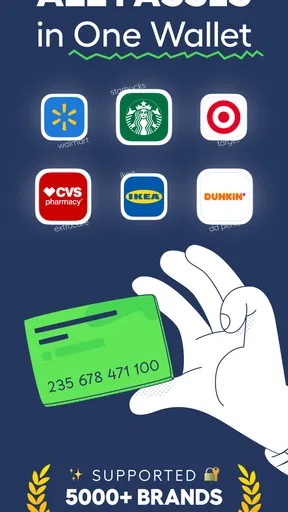
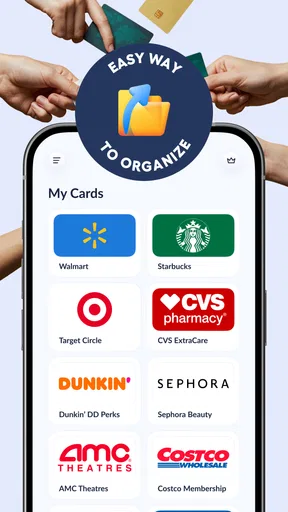
I find a digital card wallet most useful when it solves one small, repeated problem: getting the right loyalty card in front of a cashier without digging through a physical wallet. Wallet - Digital Wallet Card is aimed at that kind of everyday organization, bringing card barcodes and passes together on a phone. Its appeal depends less on replacing every payment tool and more on whether it makes the cards you actually use easier to retrieve.
When a connection matters
A card wallet can be convenient in a queue, but the important question is what happens when the phone has a weak signal. This app is presented as a way to keep cards available offline, which suits places such as basement shops or crowded venues where mobile reception can be unreliable. I would still prepare before leaving home: add the cards you expect to use and check that their details are visible on your device. That quick check is more useful than discovering a problem at the till.
Connectivity also affects the moments before a card is needed. If you are adding or changing information, a working connection may be part of the process, so I would not leave setup until I am standing at a checkout. Once a barcode or pass is stored, the practical test is whether it opens promptly when the phone is offline. Keeping that distinction in mind helps set realistic expectations: offline access to stored cards is not the same as every account or online service working without a network.
A pocket-sized routine, not a payment replacement
The strongest fit is someone who carries several store cards, membership barcodes, or passes and wants fewer loose cards in a bag. It can also help when you rotate between a work bag and a day bag: the phone is less likely to be left behind than a particular plastic card holder, and a saved card can be easier to find than a small card buried in a pocket. I would treat it as a companion to payment methods, not assume that it replaces a bank card or a phone’s built-in payment service.
Consider a grocery run after work. You arrive with a low phone signal, remember the loyalty card only when the cashier asks, and open the wallet to retrieve its barcode. The advantage is not dramatic; it is simply that the card has a consistent home. For this scenario, the useful habit is to add frequently used cards first and arrange your own routine around the ones you reach for most. A collection of every card you have ever received can become its own clutter if you do not keep it manageable.
Adding cards with care
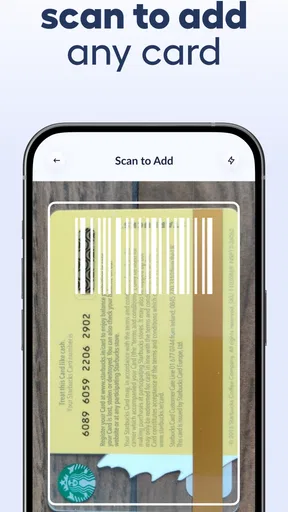
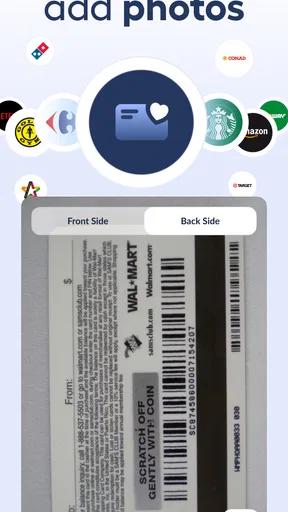
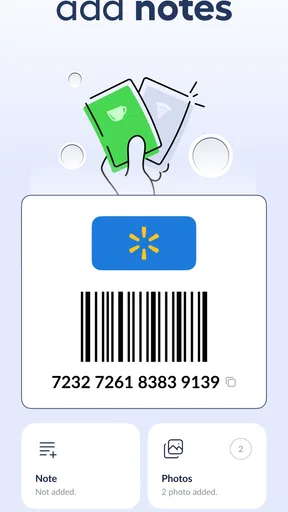
Scanning can save time, while manual entry gives you a fallback when a barcode is worn, reflective, or difficult for a camera to read. I would compare the saved details with the physical card before relying on them, especially for a membership number that is easy to mistype. A sensible workflow is to add one card, check its label and barcode, and then move on to the next. It takes a little longer at the start but prevents a rushed correction later.
There is also a useful trade-off in deciding what to store. A digital copy is convenient, but a phone can run out of battery, be misplaced, or be unavailable for reasons unrelated to the app. If a particular pass is essential for travel or entry, keeping a backup route is prudent. For ordinary loyalty cards, the convenience may outweigh that risk; for something you cannot easily replace at the moment you need it, I would avoid making one phone the only option.
Worth Reading Before You Choose

EA SPORTS FC Mobile 26 Is a Bigger Football Game, but It Takes Time

Flipboard Shows What News Apps Must Do Beyond the Feed

Switching to Android Auto Means Rethinking Your Driving Routine

Google Calendar Makes a Crowded Week Easier to Manage

Ludo King Makes the Most of the Minutes Between Plans

Baby Panda World Brings Quick Play to Modern Phones, but Its Game Library Feels Busy
Recovery and everyday snags
When a barcode fails to scan, the first things I would check are brightness, screen angle, and whether the correct card is open. A camera can struggle with glare or a damaged printed code, and a cashier’s scanner may need the display held still for a moment. These are practical troubleshooting steps rather than guarantees that every scanner will read every screen. If a card is rejected, the physical version or the issuer’s own app can be a useful backup.
Phone changes deserve a little forethought, too. Before replacing or resetting a device, I would check how the app handles access to saved cards and make sure I can obtain important card details another way. A wallet that is handy on one phone is not automatically a complete recovery plan. That consideration matters most for users who depend on a pass regularly, and less for someone using the app for occasional store rewards.
Privacy, cost, and the right alternative
Keeping cards together means putting useful personal details in one place, so I would be selective rather than treating the app as a dumping ground. Add the barcodes and passes you genuinely use, and avoid storing information you do not need for quick access. I also would not infer that a card wallet can securely handle every kind of sensitive financial data just because it is called a wallet; its stated purpose is centered on digital cards, barcodes, and passes.
Compared with carrying a stack of plastic cards, a phone-based collection can be lighter and quicker to search. Compared with each retailer’s own app, a single wallet may reduce app-hopping, while a retailer app may remain the better choice when you need account-specific details or services beyond presenting a card. A phone’s built-in wallet may also be preferable if your main goal is contactless payment. The best option depends on the job: this app is most relevant when the problem is keeping loyalty cards and passes accessible in one place.
Wallet Card is a free productivity app from SUNMARE DIGITAL TEKNOLOJI YAZILIM SANAYI TICARET, with optional in-app purchases ranging from $5.99 to $99.99 per item. It is rated for Everyone, has a 4.5 average from around 14,000 ratings, and has passed 500,000 installs. Those figures suggest that it has found an audience, but they do not tell me whether its workflow suits your particular cards. I would start with a few everyday barcodes and see whether opening them feels simpler than using your current routine.
First Impressions
So, I downloaded Wallet - Digital Wallet Card with a mix of excitement and skepticism. I mean, how many apps promise to simplify your life but end up being more work than they’re worth? But right off the bat, the sleek and intuitive interface caught my attention. It’s like the app is saying, “Don’t worry, I got you.”
Getting Started
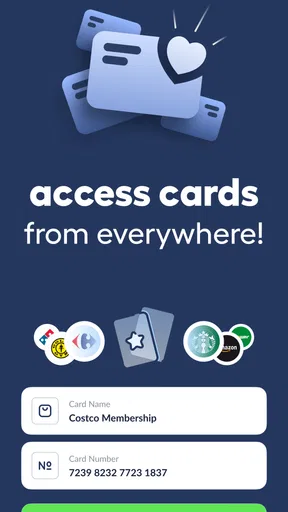
Setting up was a breeze. I just had to log in, and bam, I was ready to start adding my cards. The app supports a wide range of card types, from your everyday credit and debit cards to loyalty and membership cards. It’s like having your entire wallet shrunk down into your phone.
Adding cards is as simple as snapping a photo or entering the card details manually. The app’s smart scanning feature is pretty spot-on. It recognized all my cards without a hitch. I was impressed by how it organized everything neatly, making it super easy to find what I need in a pinch.
Features Galore
One of my favorite features is the app’s ability to track expenses. It beautifully categorizes spending, so I can finally see where all my money is disappearing to. For someone who constantly promises to budget but never does, this is a revelation. Plus, it sends reminders for bill payments. No more late fees for me!
Another cool feature is the security. I mean, we’re talking about sensitive financial information here. The app uses top-notch encryption and offers fingerprint and Face ID authentication. It’s like a Fort Knox for your digital wallet.
Oh, and did I mention the integration with other apps? Whether it’s syncing with your bank or connecting with payment services like PayPal, it’s all there. This app is truly a one-stop-shop for managing your finances.
Daily Use
Using Wallet - Digital Wallet Card in everyday life is a breeze. Whether I’m paying for groceries or collecting points at my favorite coffee shop, it’s all done in a few taps. No more rummaging through a stack of cards or worrying about leaving one at home.
I’ve also noticed that my wallet is significantly lighter. I mean, who knew carrying around fewer cards could feel so liberating? Plus, the app is designed to work offline, which is a huge plus if you’re like me and sometimes find yourself in areas with spotty reception.
What Others Are Saying
I’m not the only one singing its praises. A quick look at user reviews shows a lot of love for the app’s user-friendliness and robust features. People seem to appreciate the constant updates and new features being rolled out. It’s clear the developers are dedicated to improving the user experience.
Wrapping It Up
All in all, Wallet - Digital Wallet Card has become a staple in my daily routine. It’s efficient, secure, and genuinely makes my life easier. If you’re someone who’s looking to declutter and streamline your finances, I’d say give it a shot. It might just be the solution you never knew you needed.
Ready to give it a try? You can download Wallet - Digital Wallet Card from the links below and start organizing your life today!
Pros
- User-friendly interface for easy navigation.
- Supports multiple card types securely.
- Seamless integration with online payments.
- Quick setup with guided instructions.
- Regular updates for improved features.
Cons
- Limited support for international cards.
- Occasional syncing issues with some banks.
- Requires a stable internet connection.
- No offline mode for transactions.
- In-app ads can be intrusive.
FAQs for Wallet - Digital Wallet Card
What is Wallet - Digital Wallet Card and how does it work?
Wallet - Digital Wallet Card is a mobile application designed to store your debit, credit, and loyalty cards digitally. It allows users to make secure payments, manage their finances, and track spending effortlessly. By adding your cards to the app, you can access them anytime, eliminating the need to carry physical cards.
Is Wallet - Digital Wallet Card secure to use for transactions?
Yes, Wallet - Digital Wallet Card employs advanced encryption technologies to ensure all your financial data is secure. It includes features like biometric authentication and two-factor authentication to provide an extra layer of security, making it safe for transactions and storing sensitive information.
Can Wallet - Digital Wallet Card be used with all banks and cards?
While Wallet - Digital Wallet Card supports a wide range of banks and card types, compatibility can vary. It's recommended to check the app’s supported card list on their official website or within the app to ensure your cards are compatible before downloading.
Are there any fees associated with using Wallet - Digital Wallet Card?
Wallet - Digital Wallet Card is generally free to download and use. However, some premium features or services might require a subscription or one-time payment. It's important to review the app’s pricing details to understand any potential costs associated with advanced functionalities.
How can I troubleshoot issues with Wallet - Digital Wallet Card?
If you encounter any issues with Wallet - Digital Wallet Card, the first step is to check the app’s FAQ section or help center for solutions. You can also contact their customer support directly. Ensuring your app is updated to the latest version can also help resolve common issues.


